

In the world of console gaming, the right monitor can be the difference between a victory royale and a spectacular faceplant. Picture this: you’re immersed in an epic battle, but your monitor’s lagging behind like a turtle on a treadmill. Not exactly the adrenaline rush you signed up for, right? A quality console gaming monitor can transform your gaming experience from “meh” to “wow,” giving you the clarity, color, and responsiveness you need to dominate the competition.
With so many options out there, choosing the perfect monitor can feel like hunting for a needle in a haystack. Fear not, fellow gamer! This guide will help navigate the pixelated waters of refresh rates, resolutions, and response times. Get ready to level up your gaming setup and leave your opponents in the dust—all while enjoying the stunning visuals that only a top-notch console gaming monitor can deliver.
What Is a Console Gaming Monitor?
A console gaming monitor is a display specifically designed to enhance the experience of gaming on consoles like PlayStation and Xbox. These monitors often feature shorter response times, sharper resolutions, and higher refresh rates compared to standard monitors. Gamers benefit from the reduced input lag, which improves overall gameplay performance and responsiveness.
Typically, console gaming monitors range from 24 to 32 inches in size, striking a balance between immersion and visibility. A resolution of 1080p or 4K offers clarity for detailed graphics. Refresh rates, commonly at 60Hz or 120Hz, provide smoother motion and reduce blurriness during fast-paced action.
Many console gamers prioritize features such as HDR (High Dynamic Range), which enhances color accuracy and contrast. Additional technologies like FreeSync or G-Sync minimize screen tearing, ensuring a seamless visual experience. Connectivity options also matter; HDMI 2.1 ports enable higher bandwidth, accommodating 4K gaming at higher frame rates.
When choosing a console gaming monitor, it’s essential to consider viewing angles and panel types. TN panels offer fast response times, while IPS panels deliver better color reproduction and wider viewing angles. VA panels provide deeper blacks and higher contrast ratios.
Ultimately, selecting the right console gaming monitor can elevate the gaming experience by providing better visuals and performance. Spending time researching various options ensures finding a model that meets specific gaming needs.
Key Features to Consider
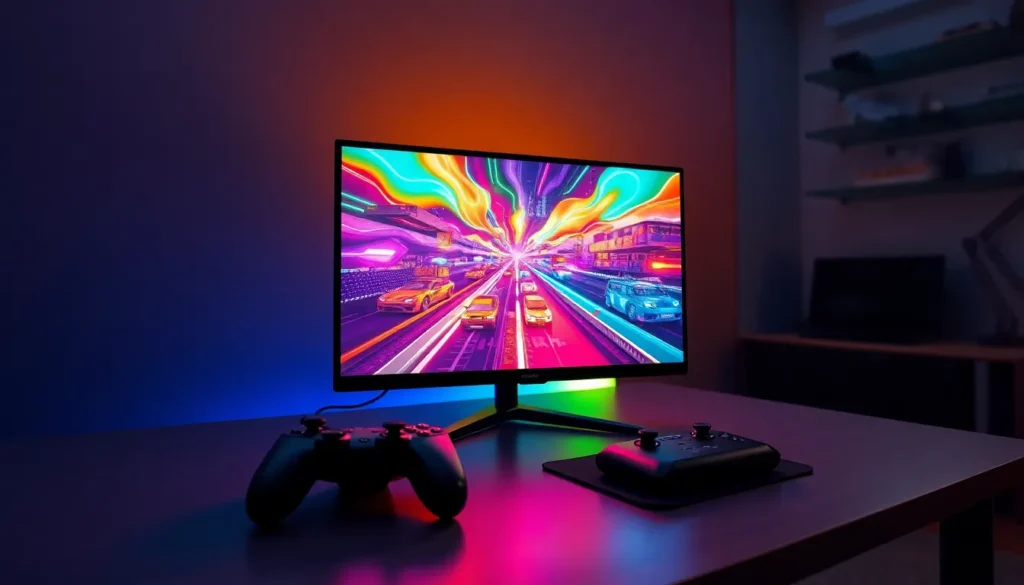
Choosing the right features for a console gaming monitor can greatly impact the overall gaming experience. Various specifications play essential roles in enhancing visuals and performance.
Resolution
Resolution determines the clearness of graphics. Common options include 1080p and 4K, with 4K offering the most detailed visuals. Higher resolution means sharper images, allowing players to see intricate details during gameplay. Additionally, a higher pixel count enhances immersion and realism, making games more visually captivating. Players using consoles like PlayStation and Xbox benefit from monitors that support these resolutions. Selecting a monitor with the appropriate resolution should align with the console’s capabilities and the player’s personal preferences.
Refresh Rate
Refresh rate refers to how often a monitor updates the displayed image. A refresh rate of 60Hz is standard, while 120Hz provides smoother motion, especially during fast-paced gaming. Higher refresh rates can reduce motion blur and improve clarity during intense action scenes. Many gamers prefer higher refresh rates to ensure responsive gameplay. Monitors with adaptive sync technologies, like FreeSync or G-Sync, work well with higher refresh rates to eliminate tearing. Prioritizing a monitor with an optimal refresh rate enhances the gaming experience through increased fluidity.
Input Lag
Input lag measures the delay between a user’s action and the display’s response. Lower input lag contributes to a more responsive gaming experience, crucial for competitive gameplay. Monitors with an input lag of 10ms or lower are ideal for real-time action gaming. Delays in input lag can hinder performance, especially in fast-paced genres like first-person shooters. Hit detection and quick reflexes become less effective with higher lag times. Players should prioritize monitors that boast low input lag for improved gameplay experiences.
Popular Console Gaming Monitors
Various models stand out in the realm of console gaming monitors. Each option provides unique features and specifications tailored for enhanced gaming experiences.
Monitor 1: Overview and Features
The ASUS ROG Strix XG27UQR excels in 4K gaming with its 27-inch IPS panel. It offers a rapid 144Hz refresh rate, ensuring smooth gameplay even during intense action scenes. HDR support enhances color accuracy and contrast, making visuals pop. With a response time of 1ms, input lag remains minimal, perfect for competitive gaming. Connectivity options include HDMI 2.1 ports, ensuring compatibility with the latest consoles.
Monitor 2: Overview and Features
The LG UltraGear 27GN950 boasts a stunning 27-inch display with 4K resolution. Gamers appreciate its 144Hz refresh rate combined with a 1ms response time. It employs Nano IPS technology, delivering vibrant colors and wide viewing angles. G-Sync compatibility helps eliminate screen tearing, contributing to a smoother gaming experience. Multiple ports, including DisplayPort and HDMI 2.1, cater to various gaming setups.
Monitor 3: Overview and Features
The Dell S3220DGF features a 32-inch curved display, appealing for immersive gaming. It supports 1440p resolution, balancing clarity and performance effectively. Gamers benefit from a refresh rate of 165Hz and a response time of 4ms, making it suitable for fast-paced titles. FreeSync technology minimizes tearing and stuttering. Its versatile connectivity options include HDMI and DisplayPort, accommodating a range of devices.
Benefits of Using a Console Gaming Monitor
Using a console gaming monitor enhances the overall experience for gamers. These monitors provide essential features that significantly contribute to gameplay quality.
Enhanced Visuals
Higher resolutions, such as 4K, deliver stunning clarity and detail. A sharp image pulls players into the game, creating a more immersive atmosphere. Monitors equipped with HDR technology showcase vibrant colors and improve contrast, enhancing visual fidelity. Additional features, like wide color gamuts, reproduce colors accurately, making in-game environments more lifelike. Brightness levels also matter, as they ensure visuals remain clear in various lighting conditions. For console gamers, investing in a monitor with advanced visual capabilities directly impacts enjoyment and immersion.
Improved Performance
Minimized input lag is a critical benefit of using a console gaming monitor. Monitors with input lag of 10ms or lower enable quicker reactions, essential for competitive gameplay. Higher refresh rates, such as 120Hz, allow for smoother motion, reducing blurriness during fast-paced action. Adaptive sync technologies, such as FreeSync and G-Sync, help eliminate screen tearing, providing a seamless visual experience. Accurate motion handling creates a responsive gameplay sensation, which is vital for enjoying fast-reaction shooters or racing games. Performance enhancements directly correlate with the quality of the gaming experience, making it crucial to choose an appropriate console gaming monitor.
Choosing the right console gaming monitor is crucial for any serious gamer. With the right features like high refresh rates and low input lag, players can enjoy a more immersive and responsive experience. Investing in a quality monitor not only enhances visuals but also improves overall performance during gameplay.
As gamers explore the various options available, understanding key specifications can make a significant difference. Whether it’s the stunning clarity of 4K resolution or the smoothness of adaptive sync technologies, each feature contributes to a better gaming environment. By selecting a monitor tailored to their needs, gamers can elevate their experience and stay competitive in their favorite titles.





