
Table of Contents
ToggleMinecraft videos have held their spot in the top tiers of gaming content for over a decade, and in 2026, they’re showing no signs of slowing down. Whether you’re scrolling through YouTube during lunch or deep-diving into a 10-hour survival series at 2 a.m., there’s something uniquely magnetic about watching someone build, explore, or completely break Minecraft’s rules. The blocky sandbox has created an entire ecosystem of creators, from technical redstone wizards to storytelling masters, each carving out their own corner of the internet.
If you’re here, you’re probably wondering how to either start creating Minecraft videos yourself or level up your existing channel. Maybe you’re just hunting for the best content to watch. Either way, this guide covers everything: what types of videos dominate in 2026, the gear and software you’ll actually need, editing tricks that keep viewers hooked, growth strategies that work, and how to turn your hobby into revenue. Let’s break it down.
Key Takeaways
- Minecraft videos dominate gaming content because of their evergreen appeal, endless creative possibilities, and cross-generational audience—making them a solid foundation for long-term creator growth.
- High-quality Minecraft videos require solid equipment (mid-range CPU/GPU), proper recording software like OBS Studio, and separate audio recording, but production quality matters less than content consistency and audience engagement.
- Successful Minecraft creators succeed by finding a specific niche (technical tutorials, building showcases, challenge content), optimizing video metadata for YouTube’s algorithm, and maintaining a consistent upload schedule.
- Multiple monetization strategies—including ad revenue, sponsorships, memberships, and merchandise—provide sustainable income once a channel reaches 10K+ subscribers, but audience trust and content quality should always come first.
- Consistent improvement, unique content angles, data-driven decisions using YouTube Analytics, and active community engagement separate thriving Minecraft channels from those that stall or fail.
Why Minecraft Videos Continue to Dominate the Gaming Content Landscape
The Enduring Appeal of Minecraft Content
Minecraft’s longevity isn’t an accident. The game’s endless creative possibilities combined with constant updates, like the recent 1.21 Tricky Trials update, keep the gameplay fresh even for veterans. Unlike battle royales or competitive shooters that can feel repetitive or stressful, Minecraft offers relaxation, creativity, and achievement all in one package. That versatility translates directly to video content.
Viewers return to Minecraft videos for comfort and inspiration. There’s a reason preston minecraft content and similar creators maintain massive audiences year after year, the format is evergreen. A well-executed survival series from 2015 can still pull views in 2026 because the core gameplay loop remains satisfying. Plus, Minecraft’s cross-generational appeal means both kids discovering the game for the first time and adults revisiting childhood nostalgia are tuning in.
What Makes Minecraft Videos Perfect for Creators and Viewers
From a creator’s perspective, Minecraft is a gift. The game runs on nearly any hardware (important for recording), supports mods and custom content for infinite variety, and has an audience actively searching for new content daily. You don’t need a cutting-edge GPU to make compelling videos, some of the most popular creators intentionally use vanilla graphics to keep the focus on gameplay and personality.
For viewers, the low-stakes nature hits different than sweaty ranked matches or story-driven playthroughs. You can drop into episode 47 of a build series and still understand what’s happening. The game’s visual clarity makes it easy to follow even complex redstone contraptions or massive builds. And because Minecraft supports so many playstyles, there’s a subgenre for everyone: peaceful builders, hardcore challenge runners, PvP specialists, or technical players optimizing farms down to the tick.
Most Popular Types of Minecraft Videos in 2026
Survival and Let’s Play Series
The classic. Survival series are the bread and butter of Minecraft content because they offer natural progression and storytelling. Viewers get invested in your base development, resource gathering milestones, and those “oh crap” moments when a creeper ruins three hours of work. The key in 2026 is adding your own twist, whether that’s a specific challenge ruleset, a narrative you’re building through editing, or just an engaging personality that makes even mundane mining sessions entertaining.
Successful let’s plays balance progress with personality. Nobody wants to watch 40 minutes of branch mining without commentary or editing, but they will watch a 15-minute highlight reel where you crack jokes, explain your plans, and show off the results. Preston and similar creators have mastered the art of keeping energy high while still showing meaningful gameplay.
Build Showcases and Time-Lapses
Build content satisfies the same itch as watching construction or restoration videos, there’s something deeply satisfying about seeing chaos transform into order. In 2026, the bar for impressive builds has risen significantly. Viewers expect massive scale, attention to detail, or innovative design concepts. Simply copying a tutorial won’t cut it: you need either technical skill, artistic vision, or both.
Time-lapses are particularly popular because they respect viewer time while showcasing impressive work. A 200-hour build condensed into a 10-minute video with good music and occasional commentary explaining your process hits the algorithm sweet spot. Some creators split this content: full building streams on Twitch, edited time-lapses for YouTube. Exploring various creative adventures can provide unique inspiration for fresh build concepts.
Redstone Tutorials and Technical Guides
The technical Minecraft community remains strong in 2026, though it’s more niche than general survival content. If you can explain complex mechanics clearly, mob spawning algorithms, chunk loading, redstone logic gates, there’s an audience hungry for that knowledge. These videos often have longer shelf lives than trend-based content because the information stays relevant across updates (unless Mojang changes core mechanics).
The challenge is making technical content accessible without dumbing it down. Use visual aids, build the contraption step-by-step on camera, and test it so viewers see it working. Include world download links or litematic files in your description. Technical viewers appreciate thoroughness, they’d rather have a 25-minute deep-dive than a rushed 8-minute overview that skips crucial details.
Challenge Videos and Custom Game Modes
“Can I beat Minecraft using only [ridiculous constraint]?” videos continue to thrive because they inject drama and novelty into a familiar experience. In 2026, creators are getting more creative with challenge parameters: beating the game while the world constantly shifts biomes, surviving with inverted controls, or completing specific objectives before a timer runs out. Industry coverage from sites like IGN often highlights particularly creative challenge runs.
Custom game modes, especially multiplayer formats like proximity chat survival, manhunt variations, or modded battle scenarios, provide natural entertainment. The social dynamics and emergent gameplay moments often matter more than Minecraft skills. If you’re collaborating with other creators, this format showcases everyone’s personality while keeping the energy high.
Mod Reviews and Modded Gameplay
The modding scene exploded again with the improved mod loader compatibility in recent versions. Mod review videos serve a dual purpose: entertainment and education. Viewers want to see what new content looks like in action and whether it’s worth installing themselves. Checking out a comprehensive mods list can help identify which modifications are trending.
Modded let’s plays, especially with large modpacks like Create-focused packs or magic-themed collections, attract viewers who’ve exhausted vanilla content. These series work best when you actually understand the mods rather than fumbling through quest books on camera. Do your assignments, plan your progression, and explain mechanics as you encounter them. Your expertise becomes the value proposition.
How to Create High-Quality Minecraft Videos
Essential Recording Software and Hardware Setup
Let’s get specific. For recording software, OBS Studio (free, open-source) remains the gold standard for most creators. It’s resource-efficient, highly customizable, and reliable. Alternative paid options include Streamlabs Desktop or XSplit, but unless you need their specific features, OBS handles everything. Set your recording format to MP4 or MKV, use the x264 encoder if your CPU can handle it (offloads work from your GPU), and record at 1920×1080 minimum, 4K if your hardware and editing workflow support it.
Hardware requirements aren’t as demanding as you’d think. A mid-range setup works fine:
- CPU: Intel i5-12400 or AMD Ryzen 5 5600 minimum (recording and running Minecraft simultaneously)
- GPU: GTX 1660 or RX 6600 handles vanilla recording: RTX 3060 or better if you’re using shaders
- RAM: 16GB minimum, 32GB recommended if you’re running heavy modpacks
- Storage: SSD for game and recording files, HDDs cause stuttering
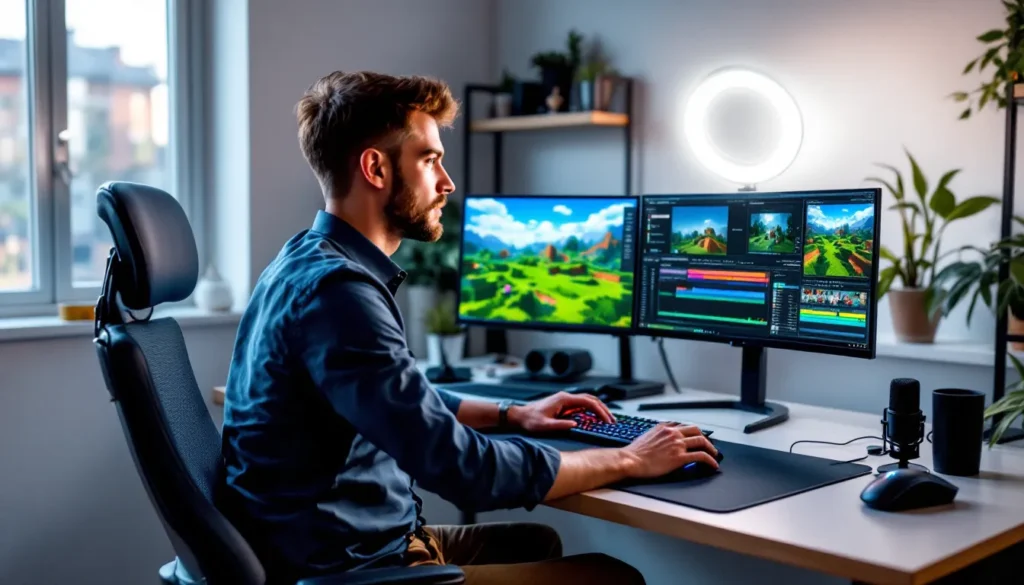
Don’t forget a second monitor. Watching chat, monitoring recording software, and checking audio levels while playing is nearly impossible on a single screen.
Optimizing Minecraft Graphics and Performance Settings
This is where creators often screw up. You’re balancing visual appeal with performance, if your game runs at 35 FPS, your video will look choppy regardless of recording settings. Install Sodium (Fabric) or Optifine (Forge) for performance optimization. Both dramatically improve frame rates without visual sacrifices.
For recording, aim for consistent 60+ FPS in-game. Adjust these settings:
- Render distance: 12-16 chunks (higher kills performance, lower looks empty)
- Smooth lighting: Maximum (worth the minor performance hit)
- Particles: All (minimal impact, but makes the world feel alive)
- VSync: Off (introduces input lag)
- Max framerate: Unlimited if stable, or cap at 144 if you’re seeing variance
Shaders are tempting but murder performance. If you’re using them, test thoroughly and maybe reserve them for specific showcase segments rather than full episodes. BSL Shaders or Complementary Shaders offer the best performance-to-beauty ratio in 2026.
Best Practices for Audio Recording and Commentary
Audio quality matters more than video quality. Viewers will tolerate 720p gameplay, but they’ll click away from muddy, echoey, or inconsistent audio in seconds. You don’t need a $500 microphone, a Blue Yeti, Audio-Technica AT2020, or even a Samson Q2U ($60-130 range) drastically outperforms headset mics.
Record your audio separately in Audacity or Adobe Audition if possible. This gives you more control in editing. Use a pop filter, position the mic 6-8 inches from your mouth, and record in the quietest room available. In post-production, apply:
- Noise reduction (remove background hum)
- Compression (evens out volume spikes)
- EQ (cut lows below 80Hz, slight boost around 3-5kHz for clarity)
- Normalization (ensures consistent volume across your video)
For commentary itself: be yourself, but be an energized version. Dead air kills engagement, if you’re not talking, add music or speed up the footage. Plan talking points before recording so you’re not constantly saying “um” or “uh.” Some creators script key segments, others prefer natural improv. Find what works for your style.
Editing Tips for Engaging Minecraft Content
Pacing and Cutting Techniques to Maintain Viewer Interest
Your raw footage is boring. Accept that. Even the most entertaining creator has long stretches of walking, inventory management, and repetitive tasks. Editing is where you transform 90 minutes of footage into a tight 15-minute video. According to research by Game Rant, viewer retention drops significantly after the first 30 seconds, so hook them immediately.
Cut aggressively. If a moment doesn’t advance your project, tell a joke, or provide useful information, it’s gone. Use jump cuts to eliminate dead air, Minecraft’s first-person perspective makes jump cuts nearly invisible if you’re in the same location. For longer time skips, use a quick fade or simple transition with text overlay explaining what happened (“Three hours later…”).
Speed ramping keeps things dynamic. Boring tasks like mining or walking? 2-4x speed with music underneath. Important moments like finding diamonds or a close combat encounter? Real-time or even slow motion with sound effects emphasized. DaVinci Resolve (free) or Adobe Premiere Pro (subscription) both handle variable speed easily.
Adding Music, Effects, and Transitions
Music selection matters more than you think. Upbeat, copyright-free tracks from Epidemic Sound, Artlist, or YouTube’s Audio Library set the mood without risking strikes. Match music energy to content, chill lo-fi for building segments, more intense tracks for PvP or challenge runs. Keep music volume around -20dB to -18dB so it supports but doesn’t overpower your commentary.
Sound effects add punch. A well-timed “whoosh” on a quick zoom, emphasis on important moments, or comedic timing on failures elevates production value. Don’t overdo it, you’re making a gaming video, not a cartoon. Tools like Freesound.org offer thousands of free effects.
Transitions should be fast and purposeful. Simple cuts work for most situations. Crossfades for time passage. Avoid cheesy wipes or star transitions unless you’re going for deliberate comedy. Your editing should be invisible, viewers focus on content, not your After Effects skills.
Creating Eye-Catching Thumbnails and Titles
Thumbnails are your most important visual asset. In 2026’s saturated market, a weak thumbnail means nobody clicks regardless of content quality. Use high-contrast colors (yellows, reds, blues pop against YouTube’s interface), large readable text (3-5 words max), and expressive faces if you include your webcam.
Design thumbnails at 1920×1080 but test how they look at small sizes, most viewers see them on mobile. Tools like Photoshop, Photopea (free browser-based alternative), or Canva work well. Include an element from your video (the build, the challenge, the situation) that creates curiosity.
Titles need to balance SEO with clickability. Format: “[Specific hook] | Minecraft [Video type]” works consistently. Examples:
- “I Survived 100 Days in Minecraft’s Deepest Cave” (better than “Minecraft Survival Episode 1”)
- “Building a WORKING Roller Coaster in Survival Minecraft”
- “This Redstone Trap is Completely Invisible”
Front-load the hook, include the keyword naturally, keep it under 60 characters to avoid truncation.
Growing Your Minecraft Video Channel
Understanding Your Target Audience and Niche
The biggest mistake new creators make is trying to appeal to everyone. The Minecraft video space is crowded, you need a specific angle. Are you the technical expert explaining farm efficiency? The builder with an architectural background? The comedian who makes everything chaotic? The skilled PvP player?
Analyze successful creators in your target niche. What’s their upload cadence? Video length? Editing style? Audience demographics? Use YouTube Analytics once you have some videos up to see what’s working. Which videos have the best retention? Where do viewers drop off? What traffic sources bring engaged viewers versus random clicks?
Your niche also determines your content strategy. Tutorial-focused channels can have longer, more detailed videos. Entertainment channels need tighter pacing and higher energy. Challenge content needs novelty, you can’t do the same format 50 times. Finding your lane and committing to it builds audience loyalty faster than generic let’s plays.
SEO and Algorithm Optimization for Minecraft Content
YouTube is a search engine. Treat it like one. Research keywords before creating videos, tools like TubeBuddy or VidIQ show search volume and competition. “Minecraft survival” is too broad: “Minecraft 1.21 hardcore survival tips” targets a searchable audience. Enhancing your skills through comprehensive tutorials can also provide content ideas that viewers actively search for.
Your video metadata matters:
- Title: Primary keyword near the start, compelling hook
- Description: First 2-3 sentences include keywords and explain the video (this text shows in search results). Then add timestamps, links, and context. Minimum 200 words.
- Tags: Use 8-12 relevant tags mixing broad terms (“Minecraft”) and specific phrases (“Minecraft bedrock farms 1.21”)
But here’s the reality: the algorithm cares most about watch time and click-through rate. A perfectly optimized video that people click then immediately leave hurts you. A video with okay SEO that keeps viewers watching for 8+ minutes performs better. Deliver on your title’s promise in the first 30 seconds, then provide value throughout.
Consistency and Upload Schedules That Work
You don’t need daily uploads, but you do need consistency. Audiences and algorithms both reward predictable schedules. If you can manage weekly uploads every Saturday at 10 AM, that’s better than randomly posting 3 videos one week then nothing for a month.
Be realistic about your production capacity. A highly edited video might take 8-10 hours from recording to upload. Can you sustain that weekly? If not, go bi-weekly. Quality beats quantity, but consistency beats sporadic quality. Batch record when possible, capture 3-4 episodes in one session, then edit throughout the week.
Use YouTube’s scheduling feature. Upload videos during off-hours when you’re not busy, then schedule them for optimal posting times (typically weekday afternoons/evenings in your target demographic’s timezone, or weekend mornings).
Collaborating with Other Minecraft Creators
Collabs expose you to new audiences. When done right, they’re the fastest organic growth method available. The key is finding creators at similar subscriber counts with overlapping but not identical audiences. If you’re a builder at 5K subscribers, collaborating with a redstone creator at 8K makes sense. Reaching out to a 500K subscriber isn’t realistic.
Joint projects work best: multiplayer survival servers, build competitions, challenge videos where you’re both attempting something. Each creator posts to their channel with different perspectives or highlights. Include clear calls-to-action to check out your collaborator’s content, but make it feel natural, not forced.
Minecraft multiplayer servers specifically designed for content creators exist in 2026. Joining established SMPs (survival multiplayer servers) with other creators provides built-in collaborative opportunities and cross-promotion.
Where to Watch the Best Minecraft Videos
Top Minecraft Content Creators to Follow in 2026
The Minecraft creator landscape shifts, but certain names consistently deliver quality. Preston remains a powerhouse with his energetic challenge content and variety gameplay, his Preston Minecraft videos blend entertainment with impressive production value. Technoblade’s legacy continues to influence the technical and PvP community even after his passing, with many creators carrying forward his analytical, skill-focused approach.
For building inspiration, Grian and BdoubleO100 showcase what’s possible with creativity and dedication. Their Hermitcraft series demonstrates long-form collaborative content done right. On the technical side, ilmango and the SciCraft crew push Minecraft’s mechanics to absolute limits with farms that produce millions of items.
Newer creators are rising too. Search for niche content that matches your interests, there are channels dedicated to specific aspects like horror maps for those seeking spooky experiences, or Nether survival specialists tackling one of the game’s most challenging dimensions. Commentary from The Escapist sometimes covers standout creators or viral Minecraft moments worth checking out.
Platforms Beyond YouTube for Minecraft Content
YouTube dominates Minecraft video content, but it’s not the only game in town. Twitch serves the live-streaming audience, watching Minecraft live offers different appeal than edited videos. The chat interaction, unscripted moments, and community vibe create experiences YouTube can’t replicate. Many successful creators maintain presence on both platforms: streams on Twitch, edited highlights on YouTube.
TikTok has become surprisingly relevant for Minecraft content in 2026. Short-form content works: 30-second build time-lapses, quick redstone tutorials, or comedic moments from longer sessions. The algorithm’s reach can jumpstart a channel, though converting TikTok viewers to long-form YouTube subscribers requires strategy.
Don’t sleep on Discord communities either. While not a video platform, Discord servers built around Minecraft creators offer exclusive content, early access to videos, and direct creator interaction. Some creators release extended cuts or behind-the-scenes content exclusively for Discord members.
Monetization Strategies for Minecraft Video Creators
Ad Revenue and Partnership Programs
YouTube’s Partner Program requires 1,000 subscribers and 4,000 watch hours in the past 12 months, achievable within 6-12 months for focused creators posting quality content consistently. Once monetized, Minecraft content typically earns $2-5 per 1,000 views (CPM) depending on your audience demographics and watch time. Family-friendly content generally has higher CPM than edgy humor.
Ad revenue alone won’t pay the bills until you’re pulling 100K+ views per video consistently. Treat it as supplemental income, not the primary goal. Focus on creating content that maximizes watch time (longer videos with high retention earn more) and attracts advertiser-friendly audiences.
Twitch’s Affiliate (50 followers, 500 minutes broadcast, 7 unique broadcast days, average 3 concurrent viewers) and Partner programs offer subscription revenue and ad splits. Minecraft streams can be lucrative if you build a community, recurring monthly subscriptions provide more stable income than YouTube’s variable ad revenue.
Sponsorships and Brand Deals in the Minecraft Community
Sponsored content becomes viable once you hit 10K-25K subscribers, though rates vary wildly. Minecraft-relevant sponsors include server hosting companies (Apex Hosting, Bisect Hosting), peripherals (gaming mice, keyboards, headsets), energy drinks, and occasionally gaming chairs or PC components.
Typical sponsorship structures:
- Dedicated video: $500-5,000+ depending on your channel size and engagement rates
- Integrated segment: $200-1,500 for a 60-90 second in-video mention
- Affiliate deals: Earn commission on sales through your custom link
Be selective. Your audience trusts your recommendations. Only accept sponsors for products you’d genuinely use or recommend. One scammy sponsor can damage your reputation more than the payment is worth. Always disclose sponsored content clearly, it’s legally required and maintains audience trust.
Alternative Revenue Streams for Content Creators
Diversify beyond ad revenue and sponsors. Successful Minecraft creators in 2026 are using multiple income sources:
Memberships/Patreon: Offer exclusive perks like early video access, Discord roles, member-only streams, world downloads, or input on future content. Price tiers at $1.99, $4.99, and $9.99 monthly. Even 50 dedicated fans at the mid-tier generates meaningful monthly income.
Merchandise: Once you’ve built a brand, merch can be profitable. Print-on-demand services like Spreadshop or Teespring eliminate upfront costs. Design inside jokes or catchphrases your community recognizes. Keep designs simple and quality high.
Server hosting: Running a public or patron-exclusive Minecraft server creates community value while providing content opportunities. Some creators monetize through cosmetic ranks or perks (never pay-to-win advantages).
World downloads and resource packs: Sell or offer patron-exclusive access to your survival worlds, custom builds, or created content. Platforms like Gumroad handle the transaction.
The key is providing value beyond your free content without making your channel feel like a sales funnel. Your YouTube videos should remain excellent free content, monetization is for superfans who want more.
Common Mistakes to Avoid When Creating Minecraft Videos
Let’s talk about what tanks channels before they get started. First: inconsistent quality. Your tenth video shouldn’t look worse than your third. Audiences forgive rough production early on, but they expect improvement over time. If your audio quality randomly fluctuates or editing gets lazy, viewers notice.
Copycat content is another killer. Yes, study successful creators, but don’t just remake their videos with slightly different titles. “I survived 100 days in [biome]” has been done thousands of times. Add your unique spin, different ruleset, interesting self-imposed challenges, exceptional storytelling, or genuine expertise that provides new value.
Ignoring analytics means you’re flying blind. YouTube tells you exactly what’s working through watch time, audience retention graphs, and traffic sources. If 60% of viewers drop off at the 2-minute mark, something at that timestamp is killing interest. If certain video types consistently outperform others, make more of what works.
Over-promising in thumbnails and titles might get clicks initially, but it destroys your channel long-term. If your thumbnail shows an insane build but the video is actually you starting to gather materials, viewers feel cheated and click away. Your average view duration tanks, the algorithm punishes you, and growth stalls. Deliver on your promises.
Neglecting community engagement is a slower killer. Reply to comments, especially in the first hour after upload. Ask questions that encourage discussion. Feature viewer builds or suggestions. Your community is your foundation, treat them like it. A channel with 10K engaged subscribers outperforms one with 50K ghost followers every time.
Finally: burning out. Minecraft video creation is a marathon, not a sprint. If you’re forcing yourself through miserable 12-hour editing sessions every week, you’ll quit within months. Build a sustainable workflow that you can maintain long-term. Take breaks when needed. The algorithm won’t blacklist you for taking a week off, but releasing progressively worse content because you’re exhausted will hurt you.
Conclusion
Minecraft videos aren’t going anywhere in 2026, and the barrier to entry has never been clearer. You don’t need the best gear or perfect editing skills on day one, you need consistency, genuine passion for the game, and willingness to learn from what works and what doesn’t. The creators dominating the space right now started exactly where you are: with a recording program, an idea, and the decision to actually hit publish.
The fundamentals covered here, understanding your niche, optimizing for both viewers and algorithms, developing genuine production skills, and building community, apply whether you’re aiming for 1,000 subscribers or 1 million. Start with one video. Then make the second one better. Every successful Minecraft channel is just someone who didn’t quit after video five looked rough or video twelve got 47 views.
The blocky sandbox is waiting. So is your audience. Get recording.





