
Table of Contents
ToggleMobile gaming has exploded, and Minecraft is leading the charge. Whether you’re new to Minecraft or a veteran looking to play on the go, understanding the Minecraft APK is essential. This guide covers everything you need to know about downloading, installing, and playing Minecraft on Android devices safely and legally. We’ll walk you through system requirements, step-by-step installation, features, and troubleshooting so you can start building your empire on mobile without headaches.
Key Takeaways
- Minecraft APK is the official Android version available through Google Play Store for $6.99, offering the full Survival and Creative modes optimized for mobile touchscreen controls.
- Always download Minecraft from the Google Play Store published by Microsoft Corporation to ensure safety, automatic updates, and legitimate access; avoid third-party APK sites that host malware and outdated versions.
- Your device needs Android 5.0 or higher, 1 GB RAM minimum, and 500 MB free storage to run Minecraft smoothly, with performance varying from 60 FPS on flagship devices to 30 FPS on budget phones.
- Minecraft mobile supports multiplayer through local split-screen (up to 4 players), Realms servers (up to 10 players), and customization via resource packs and behavior packs without compromising gameplay.
- Common issues like crashes, lag, and connection failures can be resolved by clearing app cache, reducing render distance, verifying internet connection, and adjusting touch sensitivity settings.
What Is Minecraft APK and Why You Should Know About It
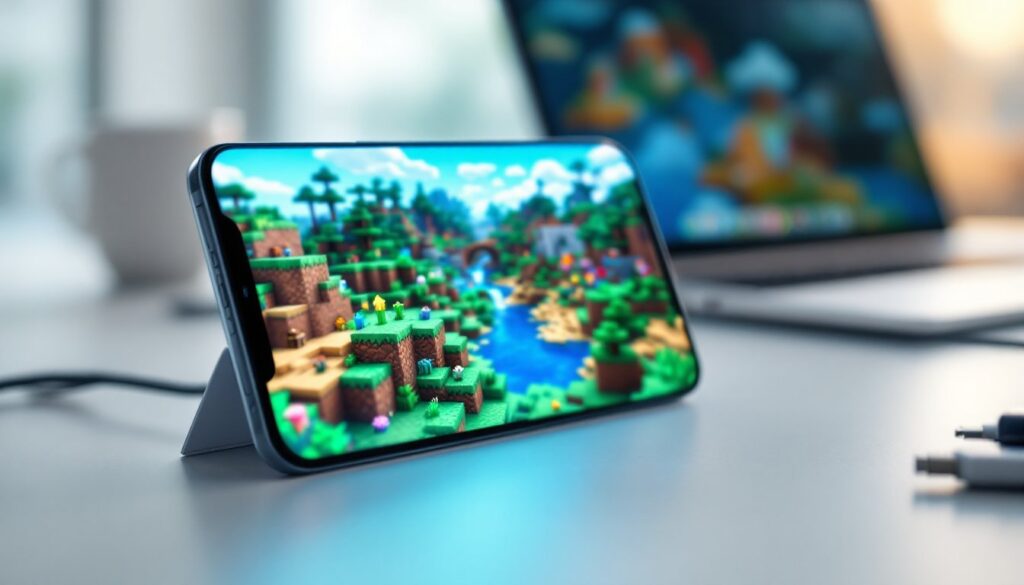
Minecraft APK is the Android version of Minecraft, delivered as an installation file (.apk) that lets you play on phones and tablets. Unlike the PC version, the mobile edition is optimized for touchscreen controls and smaller processors. It’s not a watered-down port, Minecraft Pocket Edition (the official mobile version) includes most core features: block mining, crafting, building, combat, and exploration. You can play in Creative Mode for unlimited resources or Survival Mode for the full challenge.
The game runs on Realms servers, local multiplayer via LAN, or single-player worlds. If you’re familiar with Minecraft on console or PC, the basic mechanics translate directly, gather materials, craft tools, fight Minecraft mobs like Creepers and Endermen, and progress through the game. Mobile Minecraft doesn’t compromise on gameplay, just adapts it for portability. Many players use it as a secondary platform to keep working on worlds while away from their main rig.
How to Download Minecraft APK Safely and Legally
The official way to download Minecraft on Android is through the Google Play Store. Search for “Minecraft” and install the app published by Microsoft Corporation. This is the only legitimate route and ensures you get the real deal with updates and support.
Avoid third-party APK sites, they often host outdated, modded, or malware-laden versions. Sketchy downloads can compromise your device and ruin your gaming experience. The Play Store version costs $6.99 and is worth every penny for updates and security.
If you want to customize your experience beyond vanilla Minecraft, you’ll need to explore modding options. Players interested in advanced modifications often turn to Minecraft Forge Download: Complete for PC modding frameworks. But, mobile modding is more limited, you’d need tools like Minecraft Jenny Mod or other community patches, though these fall outside the official app and carry higher risk.
System Requirements and Compatibility
Minecraft Pocket Edition requires:
- Android 5.0 or higher (most devices from 2015 onward)
- 1 GB RAM minimum (2 GB recommended)
- 500 MB free storage for the base game
- Stable internet connection for multiplayer and Realms
The game works on phones and tablets. Performance varies: flagship devices run it smoothly at 60 FPS, while budget phones may dip to 30 FPS. Larger worlds consume more RAM. If you’re playing on a lower-end device, keeping your world size small and render distance moderate prevents crashes.
Installation Steps for Android Devices
Installing Minecraft APK from Google Play Store is straightforward:
- Open Google Play Store on your Android device (pre-installed on most phones).
- Search for “Minecraft” in the search bar.
- Tap the official Minecraft app by Microsoft Corporation (verify the publisher name).
- Tap Install and wait for the download to complete (size ~200–300 MB depending on version).
- Tap Open once installation finishes, or find the app on your home screen.
- Sign in with a Microsoft account (or create one free). Your Minecraft account ties to your Microsoft login for cloud saves and multiplayer access.
- Create or load a world and start playing.
The entire process takes 5–10 minutes depending on your connection speed. Once installed, the app updates automatically, so you always have the latest features and bug fixes. If you encounter installation errors, clearing your Play Store cache (Settings > Apps > Google Play Store > Storage > Clear Cache) usually resolves them.
Key Features of Minecraft Mobile Edition
Mobile Minecraft packs impressive functionality into a compact package:
Gameplay Modes:
- Survival: Battle hunger, manage health, mine resources, craft tools, fight mobs
- Creative: Unlimited resources, flying, instant building, pure creativity
- Adventure: Community-created maps and challenges
Multiplayer:
- Local multiplayer (split-screen up to 4 players on same device)
- Online multiplayer via Realms (private servers, up to 10 players)
- Public servers through third-party hosting
Customization:
Resource packs let you change textures and sounds. Behavior packs add new mechanics without breaking vanilla compatibility. The community builds constantly, resources are available through the marketplace or community sites.
Comparable mobile titles like those covered on Pocket Tactics show how Minecraft stands apart: its depth, longevity, and cross-platform save syncing make it exceptional. Unlike typical mobile games, Minecraft doesn’t push aggressive ads or paywalls, it’s a genuine, full-featured sandbox experience. Resource packs and marketplace content are optional, not required to progress.
Common Issues and Troubleshooting Tips
Game Crashes on Launch:
Clear the app cache (Settings > Apps > Minecraft > Storage > Clear Cache). If it persists, uninstall and reinstall. Crashes usually stem from corrupted cache files or insufficient RAM.
Lag and Low FPS:
Reduce render distance (Settings > Video > Render Distance). Lower particle effects and brightness. Closing background apps frees RAM. Lower-end devices struggle with large render distances, 4–6 chunks is a safe zone.
Multiplayer Connection Fails:
Verify your internet connection. Check that both devices are on the same network for local play. For Realms, ensure your Microsoft account is active and the subscription is valid.
Controls Feel Unresponsive:
Adjust touch sensitivity in Settings. Enable “Classic Controls” if toggle crouch feels awkward. Some gamers prefer external controllers (Bluetooth-connected gamepads work well).
APK Won’t Install from Non-Play Store Sources:
Enable “Unknown Sources” in your security settings (Settings > Security > Unknown Sources or Install Unknown Apps). This is risky, stick to Google Play Store. If you need mods, communities like Nexus Mods host player-created content, though mobile modding requires additional workarounds.
Performance Issues on Older Devices:
Downgrade your world settings: disable fancy graphics, reduce particles, lower draw distance. Split-screen multiplayer is more demanding, single-player runs smoother on budget hardware.
Conclusion
Minecraft APK is your gateway to one of gaming’s most expansive universes on mobile. Downloading from Google Play Store is safe, legal, and simple, no sketchy third-party sites needed. Once installed, you’ve got full Survival and Creative modes, multiplayer access, and all the building freedom you want. Whether you’re battling Minecraft mobs in Survival or creating pixel art in Creative, the mobile experience delivers genuine Minecraft gameplay. Install it, grab a Microsoft account, and start digging, your mobile Minecraft adventure awaits.





