
Table of Contents
ToggleMinecraft modding has exploded over the past few years, and finding the right platform to manage your mods can make or break your experience. That’s where Modrinth comes in. This open-source Minecraft content platform has become the go-to choice for thousands of players looking for a cleaner, faster alternative to legacy mod hosting sites. Whether you’re diving into your first modpack or you’re a seasoned veteran, Modrinth offers a modern launcher, intuitive mod discovery, and seamless instance management. In this guide, you’ll learn everything you need to know about getting started, finding mods, managing your setup, and optimizing your game for peak performance.
Key Takeaways
- Modrinth is a lightweight, open-source platform that serves as a modern alternative to legacy mod hosting sites, offering seamless mod discovery, launcher integration, and community-driven infrastructure.
- Setting up Modrinth is quick and straightforward—download the launcher from modrinth.com, sign in with your Microsoft or Minecraft account, and start browsing modpacks and mods immediately.
- Modrinth’s launcher automates mod installation and instance management by eliminating manual file handling, automatically downloading dependencies, and syncing changes in real time.
- Heavy modpacks typically require 4–8 GB of allocated RAM depending on mod loader type, so adjust memory settings in the launcher defaults to prevent performance issues.
- While CurseForge still leads in legacy Forge content, Modrinth excels with modern 1.20+ mods, Fabric, and Quilt support, making it the better choice for current-generation Minecraft modding.
What Is Modrinth and Why It Matters for Minecraft Players
Modrinth is an open-source platform built by mod developers for the Minecraft community. It functions as a central hub for mods, modpacks, plugins, datapacks, resource packs, and shaders, primarily for Java Edition. Unlike older hosting platforms, Modrinth emphasizes performance, transparency, and community-driven infrastructure.
What sets Modrinth apart is its philosophy: it’s community-owned and designed with modern tooling that benefits both players and developers. The platform provides open APIs, meaning third-party developers can build tools around it. The tight integration between the Modrinth website, its dedicated launcher, and Modrinth Servers creates a unified ecosystem that just works.
For players, this matters because you get a lightweight launcher, fast mod downloads, and reliable content discovery without the bloat or invasive ads you might encounter elsewhere. The platform is maintained by mod developers who understand the pain points of the modding community, making it a trustworthy alternative to legacy hosting platforms.
Getting Started: How to Install and Set Up Modrinth
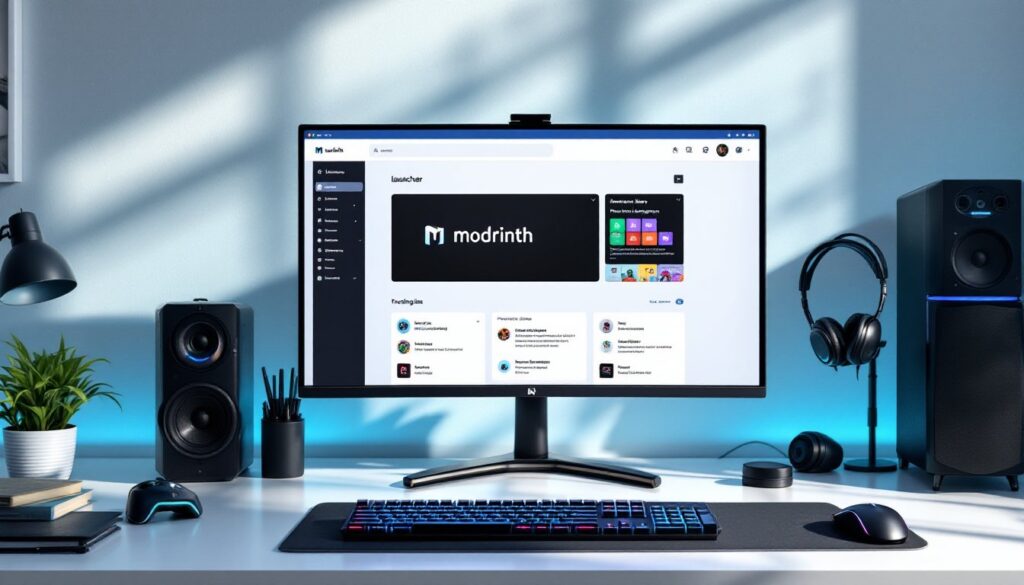
Setting up Modrinth is straightforward. Start by downloading the launcher from the official website at https://modrinth.com. The installer is available for Windows, macOS, and Linux, so grab the version that matches your OS.
Once installed, open the launcher and you’ll see a login prompt. Click “Select account” and sign in using your Microsoft or Minecraft account through the green login box. After authentication, confirm your username appears in the account box at the top, this verifies you’re ready to go. The launcher will automatically detect your Java installation: if you don’t have Java installed, the launcher will guide you through that process.
That’s it. You’re now ready to browse and install modpacks or individual mods. The launcher sits quietly in your taskbar, and you can launch instances directly from it without touching the command line.
Finding and Installing Mods on Modrinth
Finding mods on Modrinth is dead simple. On the website, you can browse by category, filter by game version (1.20.1, 1.21, etc.), and select your mod loader, Fabric, Quilt, Forge, or Vanilla. Search is powerful too: type what you’re looking for and filter results by popularity or update date.
In the launcher, click the compass icon to access the Discover tab. From here, you can browse trending modpacks or search for specific ones. When you find something interesting, hit Install. The launcher automatically downloads the modpack, creates a new instance, and pulls all dependencies. Hit Play and you’re in-game, no manual file management needed.
For individual mods within an instance, open the instance settings and click Install content. This opens the Modrinth browser within the launcher, letting you search and add mods directly without leaving the app. Alternatively, advanced users can drop mod files directly into the instance’s mods folder. The launcher respects your choice: it works but you prefer.
Managing Your Mod Collections and Game Instances
Instances are separate Minecraft profiles, think of them as sandboxed environments where each instance runs its own mod set, settings, and world files. Create a custom instance by clicking the + button in the Library. Choose a name, icon, mod loader (Vanilla, Fabric, Forge, etc.), and Minecraft version. This gives you complete control.
Adding mods to an instance happens through the Install content button or by manually dropping .jar files into the mods folder. The launcher monitors the folder, so changes sync instantly.
Need to share your modpack or move it to another PC? Open the instance’s menu (triple-dot icon) and select Export Modpack. This creates a .mcpack file containing your mod list and settings. To import, click the + button, select From File, and choose your .mcpack. The launcher rebuilds the instance and downloads all mods automatically.
Removing instances is just as easy: right-click an instance in the Library and hit Delete. Everything related to that instance is wiped, freeing up disk space.
Modrinth vs. Other Mod Platforms: Which Is Right for You
Modrinth isn’t alone in the mod hosting space. CurseForge is the established heavyweight, with a massive library built up over years, especially for Forge mods. But, CurseForge is owned by Overwolf, and its launcher is notoriously heavy, some players report it consuming significant system resources and bundling unwanted software. Modrinth takes the opposite approach: it’s lightweight, open-source, and community-run.
For mod selection, CurseForge still edges out Modrinth in raw volume, particularly for older Forge content. But Modrinth excels with modern content, Fabric, and Quilt mods. If you’re playing the latest 1.20+ snapshot, you’ll find better support on Modrinth.
Safety is critical. Modrinth is maintained by mod developers and doesn’t tolerate reposts or malware, the community actively polices this. When downloading from Nexus Mods, always verify the author and download from their official project page.
Modrinth Servers, the platform’s hosting arm, offers one-click instance deployment at competitive pricing (around $3 per GB monthly). It’s newer than established hosts but integrates perfectly with your mod library. For pure performance and advanced server management, specialized Minecraft hosts may still edge ahead, but for convenience, Modrinth Servers is hard to beat.
Tips for Optimizing Your Minecraft Experience with Modrinth
RAM allocation is the first dial to turn. Click the settings gear icon in Modrinth and navigate to Default instance options → Memory allocated. By default, it’s set to 2048 MB (2 GB), which runs vanilla fine but struggles with heavy modpacks. A 50-mod Fabric pack typically needs 4–6 GB: Forge packs often demand 6–8 GB. Never allocate more RAM than your system has, this crashes the JVM instantly.
Create separate instances for different modpack styles. A pure gameplay modpack (like Valhelsia) runs lean. A shader-heavy exploration pack needs different settings. Keeping them separate prevents mod conflicts and lets you tweak each instance independently.
Performance mods are your friend. Optimization-focused mods like Sodium (Fabric) and Fabulously Optimized address rendering bottlenecks. Search Modrinth for “optimization” and check the download count and update date, active projects are safer.
For multiplayer servers, if you’re renting through Modrinth Servers, the one-click modpack install eliminates setup headaches. But, if you’re self-hosting or using a traditional host, manually sync your local modpack .mcpack file with the server instance to avoid version mismatches.
Finally, keep your mods updated. Modrinth notifies you of updates through the launcher, and installing them is one click. Stale mods can introduce stability issues.
Conclusion
Modrinth has matured into a robust, player-friendly modding platform. Its open-source ethos, lightweight launcher, and seamless instance management make it the smart choice for most Minecraft players in 2026. Whether you’re chasing the latest Fabric releases, exploring complex modpacks, or setting up a server, Modrinth streamlines the entire workflow. The platform continues to evolve with community feedback, and its integrated ecosystem means fewer third-party tools to juggle. If you’ve been hesitant to try it, now’s the time to make the jump.





