
Table of Contents
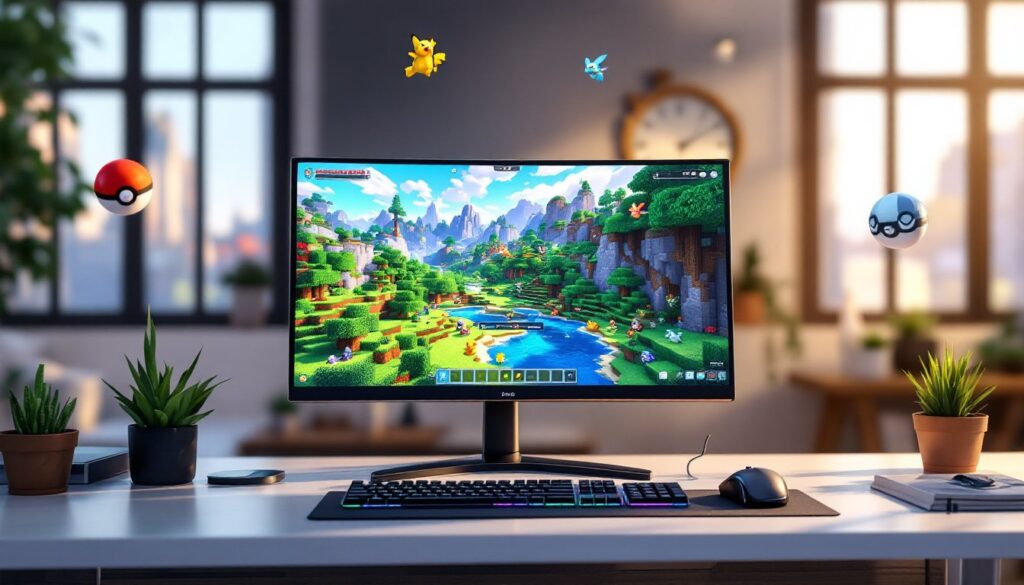
ToggleIf you’ve ever wanted to combine two of gaming’s biggest franchises, Pixelmon makes that dream a reality. This mod transforms Minecraft into a Pokémon adventure, letting you catch, train, and battle creatures across procedurally generated worlds. Whether you’re playing solo or joining pixelmon servers with friends, the mod adds hundreds of hours of gameplay depth while keeping Minecraft’s core building and exploration intact. For anyone curious about how to immerse, this guide covers everything from installation to competitive team building, no previous modding experience required.
Key Takeaways
- Pixelmon transforms Minecraft into a full Pokémon adventure by adding catching, training, and battling mechanics while preserving building and exploration features.
- Install Pixelmon using Forge as your mod loader and ensure version compatibility between Minecraft, Forge, and the mod—mismatched versions are the primary cause of installation failure.
- Start by farming Apricorns to craft Poké Balls early, lower wild Pokémon HP and inflict status effects to improve capture odds, and build infrastructure like Healing Machines to accelerate progression.
- Pixelmon servers support multiplayer competition; focus on balanced team composition with varied Pokémon types and reference the wiki for stats, movesets, and abilities when optimizing your roster.
- Learn biome-specific spawn locations for different Pokémon types—jungles favor Grass types, caves spawn Rock/Ground types—to complete your Pokédex faster and discover rare fossil Pokémon.
- Pixelmon combines two gaming franchises seamlessly with hundreds of hours of gameplay depth, supporting everything from casual exploration to competitive PvP battles across solo and multiplayer servers.
What Is Pixelmon and How Does It Work
Pixelmon is a Minecraft mod that transplants the entire Pokémon catching and battling system directly into Minecraft’s sandbox world. Pokémon spawn naturally alongside the terrain, you’ll see them wandering biomes, nesting in caves, and hanging around water. When you encounter one, you throw a Poké Ball to capture it, add it to your party (up to six at a time), and build your roster.
The mod replaces most of Minecraft’s hostile mobs with Pokémon-themed content, fundamentally shifting the survival loop. Instead of dodging creepers, you’re hunting for specific creature types in specific biomes. You battle wild Pokémon for experience points, challenge NPC trainers for rewards, and can even duel other players if you’re on a multiplayer server. Evolution, breeding, trading, fossil revival, and move learning all work similarly to the official games. The minecraft pixelmon mod essentially lets you play Pokémon inside Minecraft’s building framework, you can construct gyms, Poké Centers, or breeding facilities between catching sessions.
Installing and Setting Up Pixelmon
System Requirements and Prerequisites
Before installing, confirm you’re using Minecraft Java Edition (the mod doesn’t run on Bedrock). You’ll also need to install a mod loader, Forge is the most common choice, though some packs use Quilt or NeoForge. The critical step is matching versions: if you’re running Pixelmon for Minecraft 1.20, you need the 1.20 version of Forge. Mismatched versions are the number-one cause of installation failures.
Ram requirements are modest for solo play, 4 GB allocated to Minecraft is the baseline recommendation, but if you’re running pixelmon servers with multiple players and additional mods, 6–8 GB becomes practical. Your CPU and GPU matter less: most mid-range hardware from the past five years handles it fine.
The installation itself is straightforward. Grab the official Pixelmon Reforged .jar file from reforged.gg, then drop it into your Minecraft mods folder (you can find this via Launcher → Installations → open game directory). If no mods folder exists, create one. Launch the game with the correct Forge profile and you’re live. Single-player works offline: multiplayer requires a stable connection to the server.
Catching, Training, and Battling Pokémon
Essential Tips for New Players
Catching Pokémon is your primary loop, and it hinges on Poké Balls. You’ll craft these early by farming Apricorns, colorful fruit trees scattered throughout the world. Plant these trees near your base and let them regrow: each harvest gives you materials to craft Poké Balls in a furnace. Stock up aggressively in the first few hours: you’ll burn through hundreds.
When you encounter a wild Pokémon, engage in battle. Lower its HP and inflict status effects like paralysis or sleep to boost capture odds. Throw your Poké Ball during the battle window, timing matters, but even random throws work with the right conditions. Once caught, the Pokémon joins your party or goes directly to your PC if you’re at your six-creature limit.
Training happens through battle experience. Wild Pokémon give modest XP: NPC trainers and players yield more. As creatures level up, they learn new moves, gain stat growth, and may trigger evolution. Some evolve by level alone, others require elemental stones (crafted by gathering shards in appropriate biomes), trading, or specific conditions. Build a balanced party with varied types to counter different opponents, don’t stack six of the same type.
For healing, craft a Healing Machine and PC early. These let you restore HP outside of Poké Centers and manage your full collection. Many players skip this and regret it: having proper infrastructure accelerates progression significantly. Keep your inventory light and your team functional, and the game opens up quickly.
Building Your Pokémon Team and Progressing
Once you grasp the basics, progression splits into multiple paths. Some players focus on completing the Pokédex, methodically hunting for every species across biomes. Others breed Pokémon competitively, hunting for high IVs (individual values) and egg moves to stack the odds in PvP battles. Many aim to clear gym challenges or league tournaments if they’re on a server.
Fossils add another dimension. Find fossil blocks underground or in certain biomes, clean them in a Fossil Cleaner, and revive them in a Fossil Machine to unlock extinct Pokémon. These are rare and powerful, making fossil hunting a rewarding side quest.
Team composition matters more in multiplayer. Check the current meta, certain Pokémon dominate because of their typing, stats, or movesets, then build around coverage and synergy. A solid competitive team often includes a physical attacker, a special attacker, a tank, a speed control Pokémon, and flexible utilities. The pixelmon wiki lists detailed stats, movesets, and abilities for every species, so reference it when optimizing.
For casual progression, explore strategically. Each biome spawns different Pokémon at different rates and times. Jungles favor Grass types, caves spawn Rock and Ground types, water biomes favor Water types. Learn spawn locations, plan routes, and you’ll complete your Pokédex far faster. Server communities often share spawn maps and guides, lean on those resources to skip the grinding.
Conclusion
Pixelmon merges two massive gaming worlds into one cohesive experience. From installation through endgame competitive battles, the mod scales with your skill and ambition. Proper setup using matching Minecraft and Forge versions, early investment in Poké Balls and infrastructure, and a balanced team give you the foundation to enjoy everything the mod offers. Whether you’re hunting shinies solo, raiding fossils with friends, or competing on pixelmon servers, the depth and longevity are genuinely impressive. Immerse, and you’ll understand why this mod has sustained a passionate community for over a decade.





